What Can You Do with URLGenZ QR Codes?
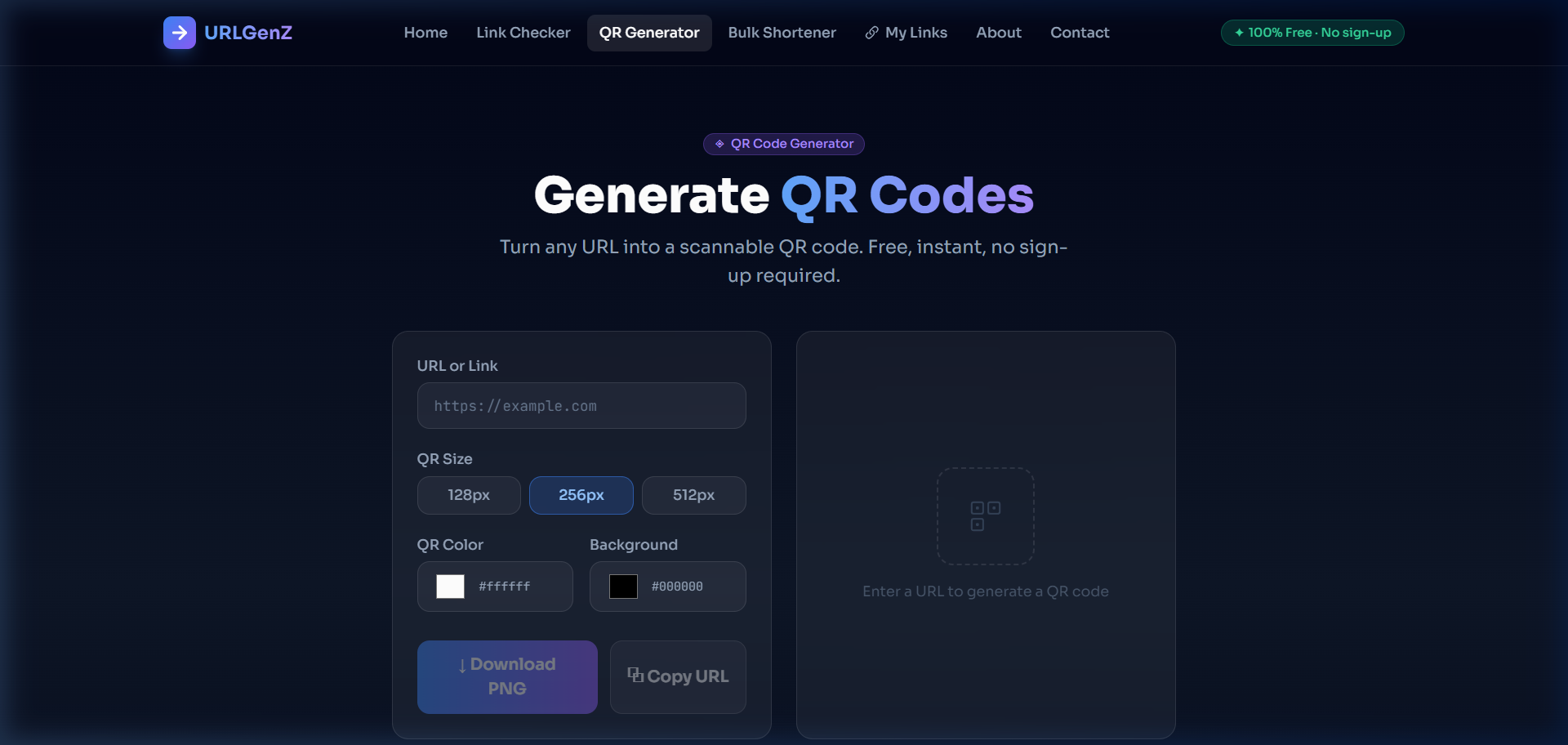
QR codes are everywhere — restaurant menus, product packaging, event posters, business cards, and more. With URLGenZ's QR Code Generator, you can create a scannable code for any URL in under 10 seconds, with full control over size and color.
How to Generate a QR Code
- Go to urlgenz.site/tools/qr
- Type or paste your URL into the "URL or Link" input field
- The QR code preview updates live as you type
- Choose your preferred size: 128px, 256px, or 512px
- Optionally customize the QR color and background color
- Click ↓ Download PNG to save your QR code
QR Code Features
Live Preview
Your QR code updates in real time as you type — no need to press a button to see changes.
Three Size Options
Choose 128px for small digital use, 256px for standard sharing, or 512px for high-quality print and large-format display.
Custom Colors
Pick any QR code foreground color and background color using the built-in color pickers. Great for brand-matching your materials.
PNG Download
Download your QR code as a clean, transparent-background PNG file — compatible with Word, Photoshop, Canva, and any print platform.
High Error Correction
All QR codes use "H" level error correction — meaning up to 30% of the code can be obscured or damaged and phones will still scan it.
Which Size Should I Choose?
| Size | Best for |
|---|---|
| 128px | Email signatures, small digital assets, inline web elements |
| 256px | Social media posts, presentations, business cards, general use |
| 512px | Posters, banners, packaging, large-format print — max quality |
Popular QR Code Use Cases
- Restaurant menus — Link a QR code to a digital menu PDF or website
- Event tickets — QR code for check-in pages or EventBrite links
- Business cards — Link directly to your LinkedIn, portfolio, or booking page
- Product packaging — Direct customers to setup guides, warranty registration, or YouTube tutorials
- Marketing campaigns — Combine with a URLGenZ short link for a short, trackable, scannable URL
💡 Pro Tip
For the best results, shorten your URL first (using the URLGenZ URL Shortener), then generate a QR code from the short link. This makes the QR code less dense and easier to scan — especially at small sizes.